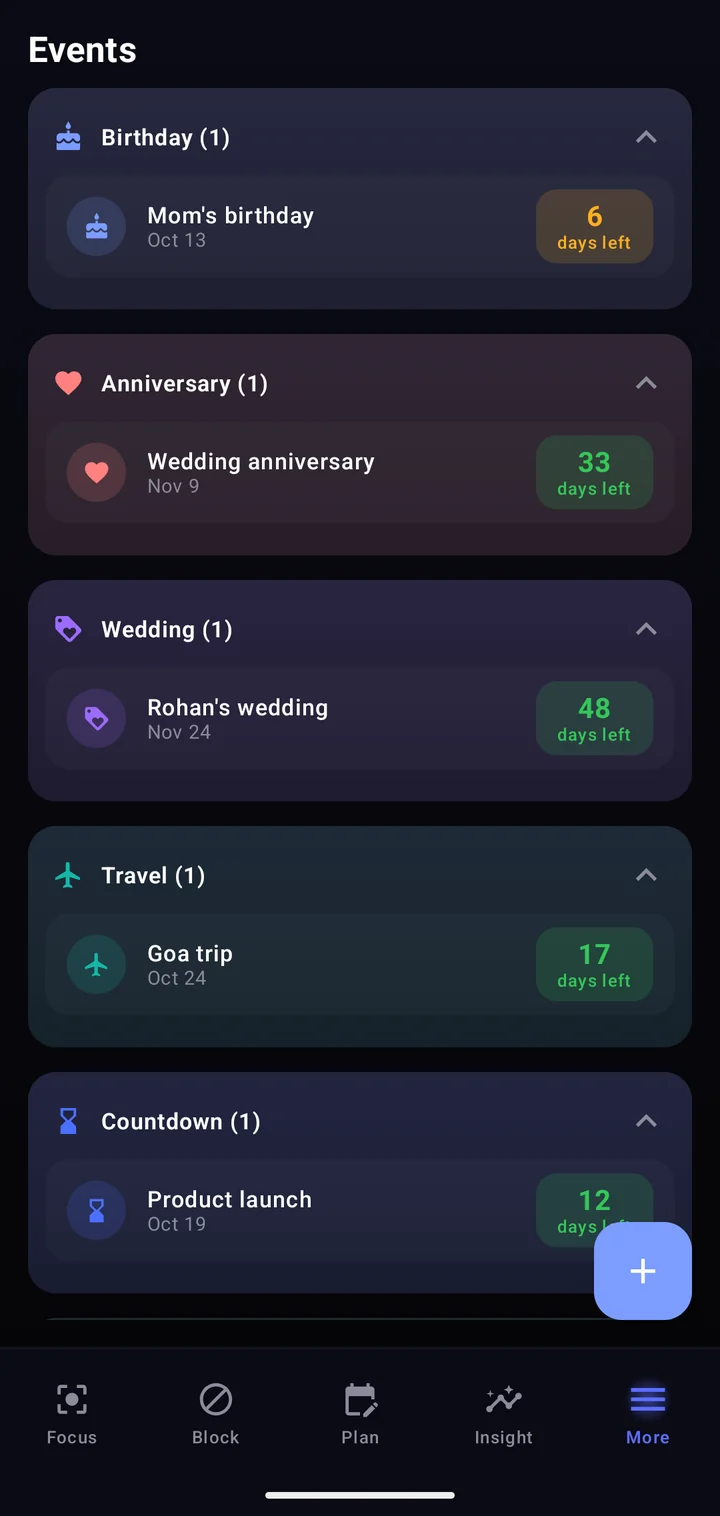
Never forget a birthday again.
Birthdays, anniversaries, trips and countdowns, each with a days-left counter and a reminder on the day or the day before.
Tasks, habits, events and app blocking in one calm Android app. Works offline, syncs when you sign in.
How it works
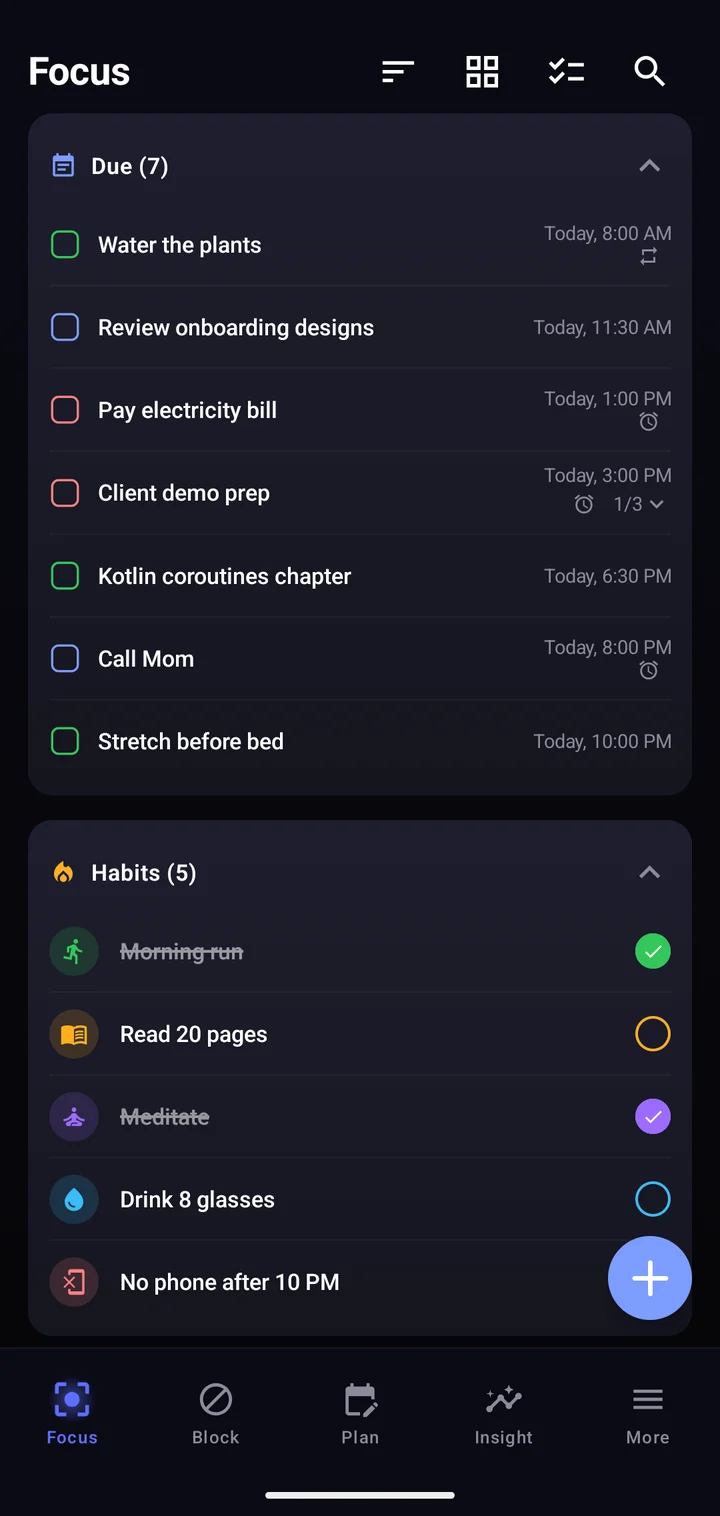
Due, overdue and done tasks sit next to today's habits, so you open the app and know what's next.
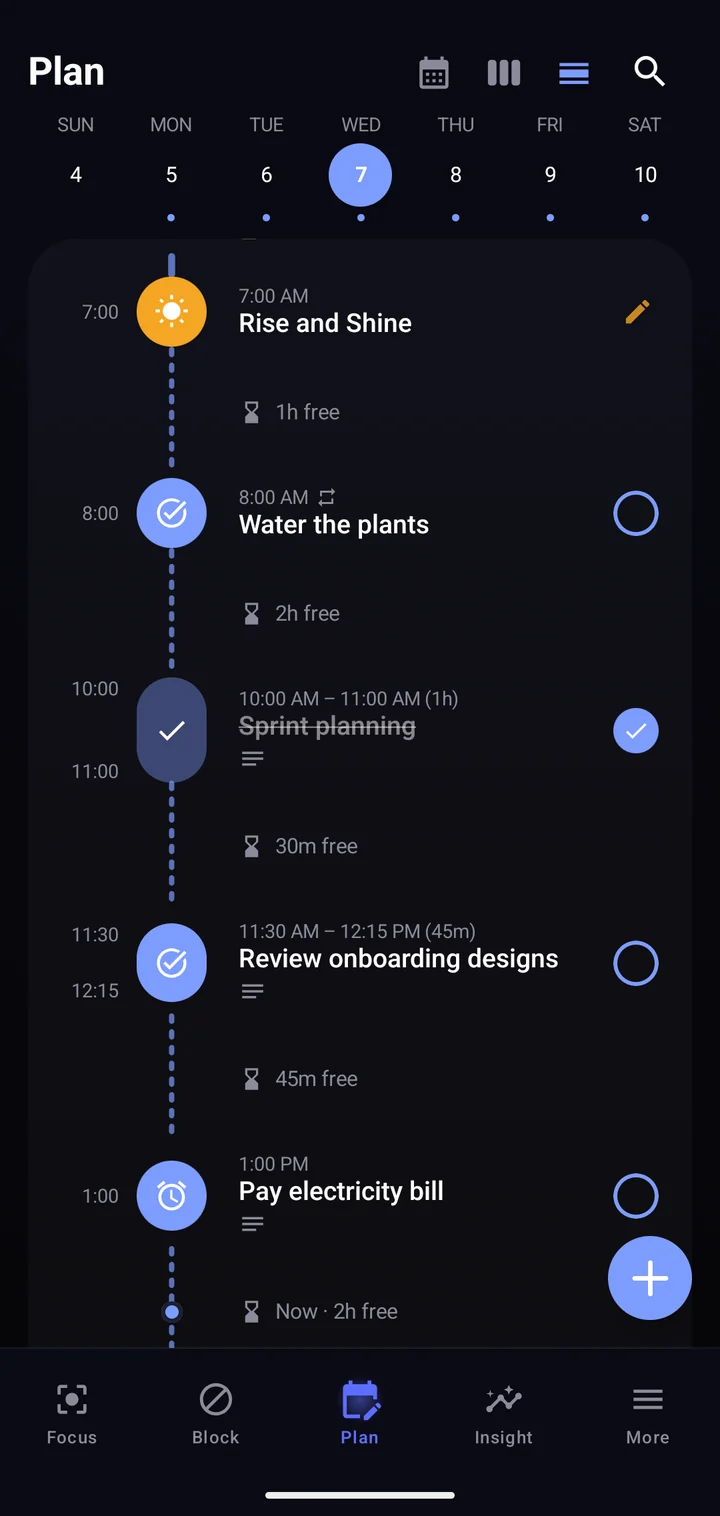
Give tasks a time and a length. FokusTime lays them out and shows the free time between them.
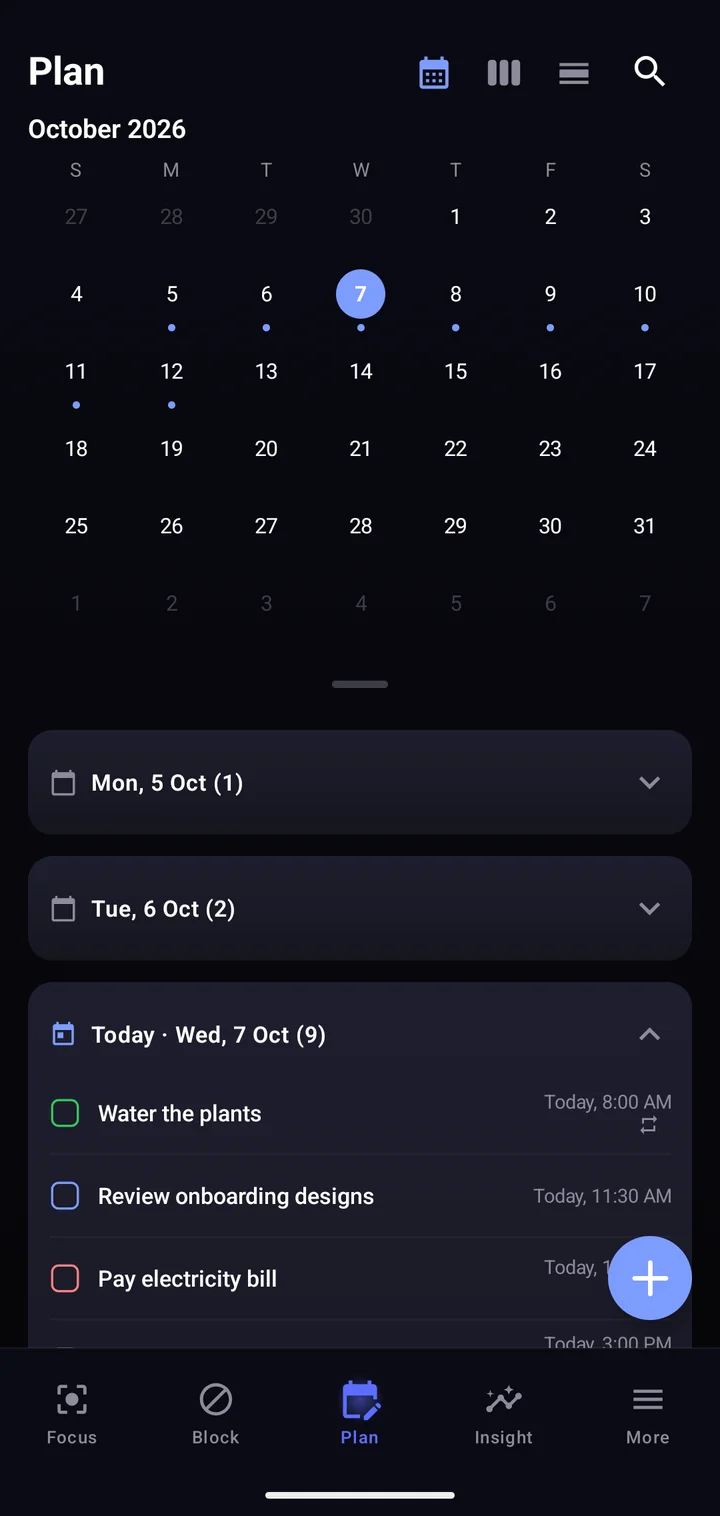
Switch views in one tap. Dots mark busy days, and repeating tasks keep themselves on schedule.
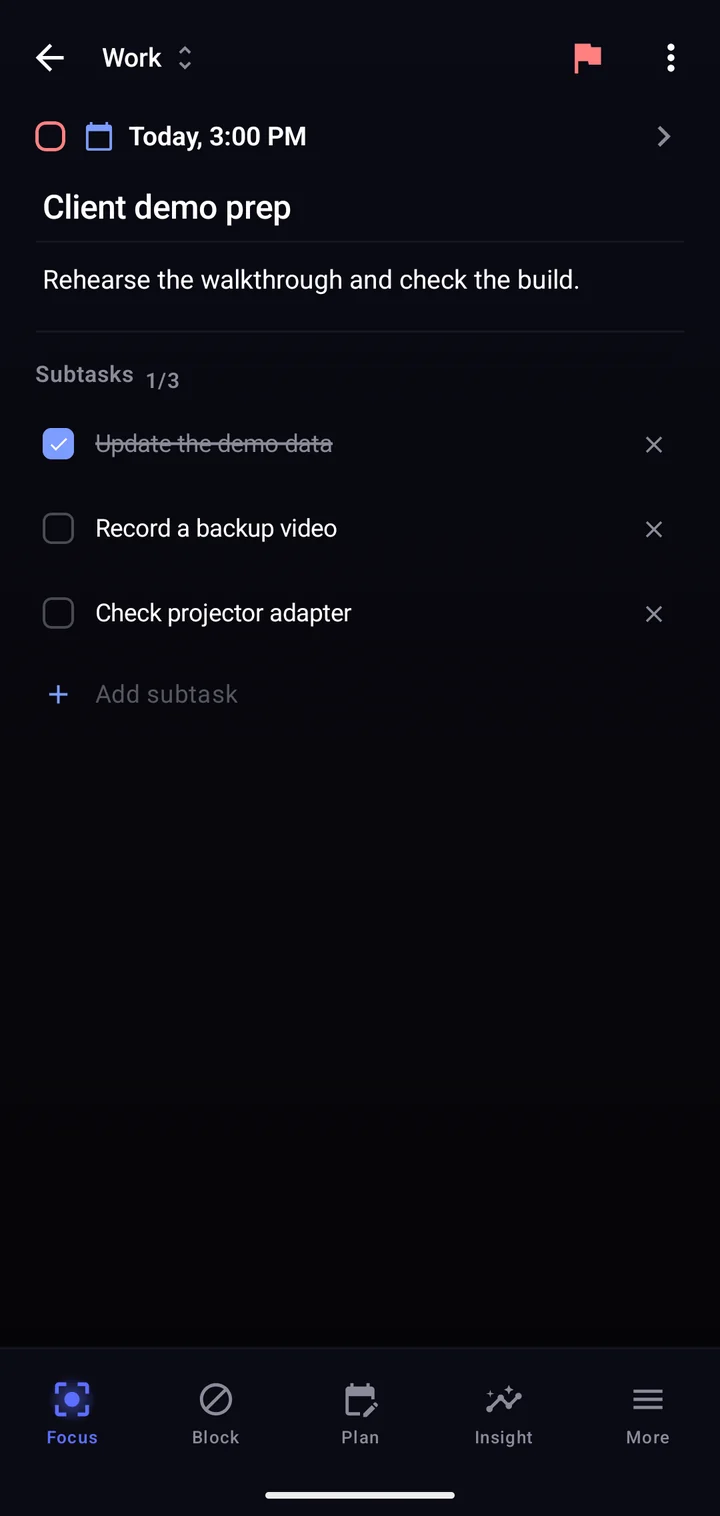
Split work into subtasks, set reminders or a full alarm, and pick exactly how a task repeats.
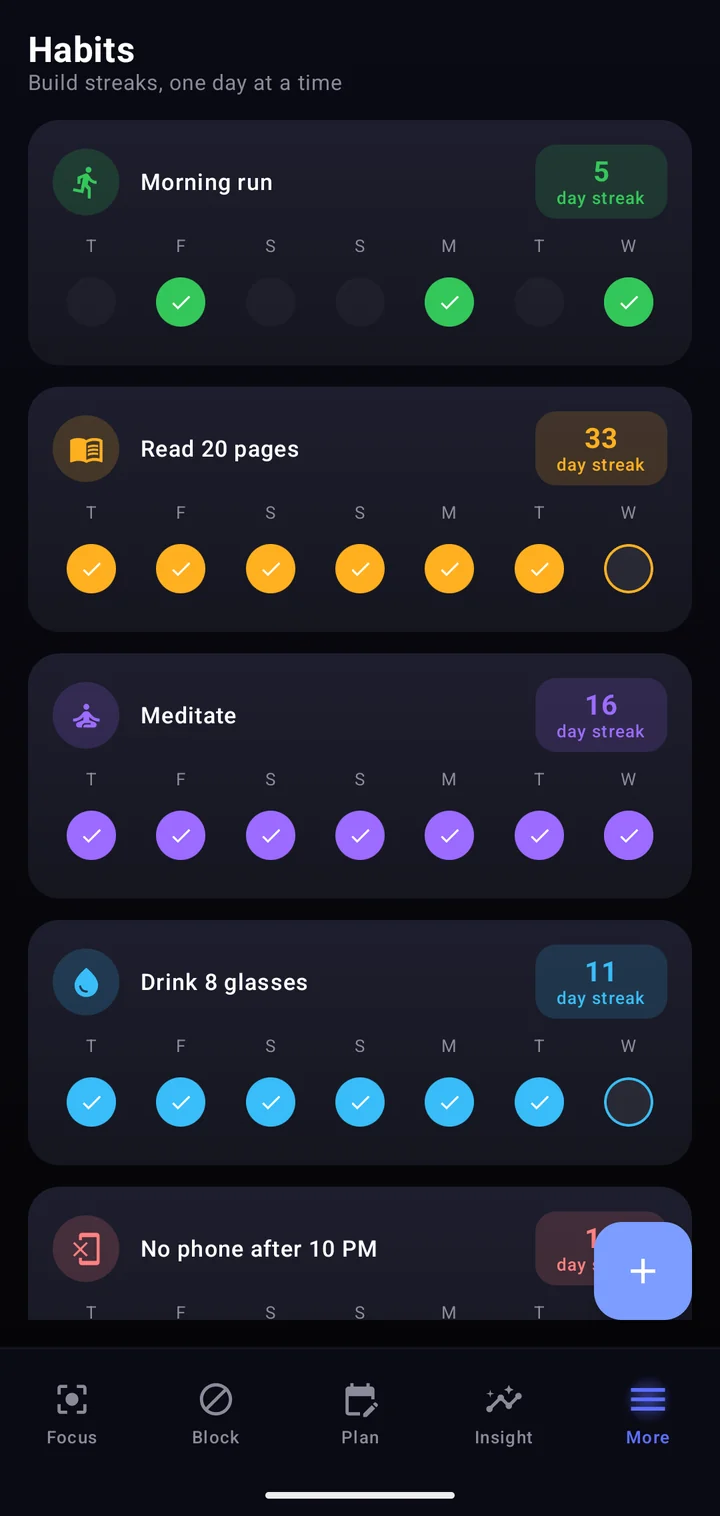
Tick a habit in one tap. Pick the days it counts on, and a missed rest day never breaks the streak.
The week at a glance, with your current streak counted for you.
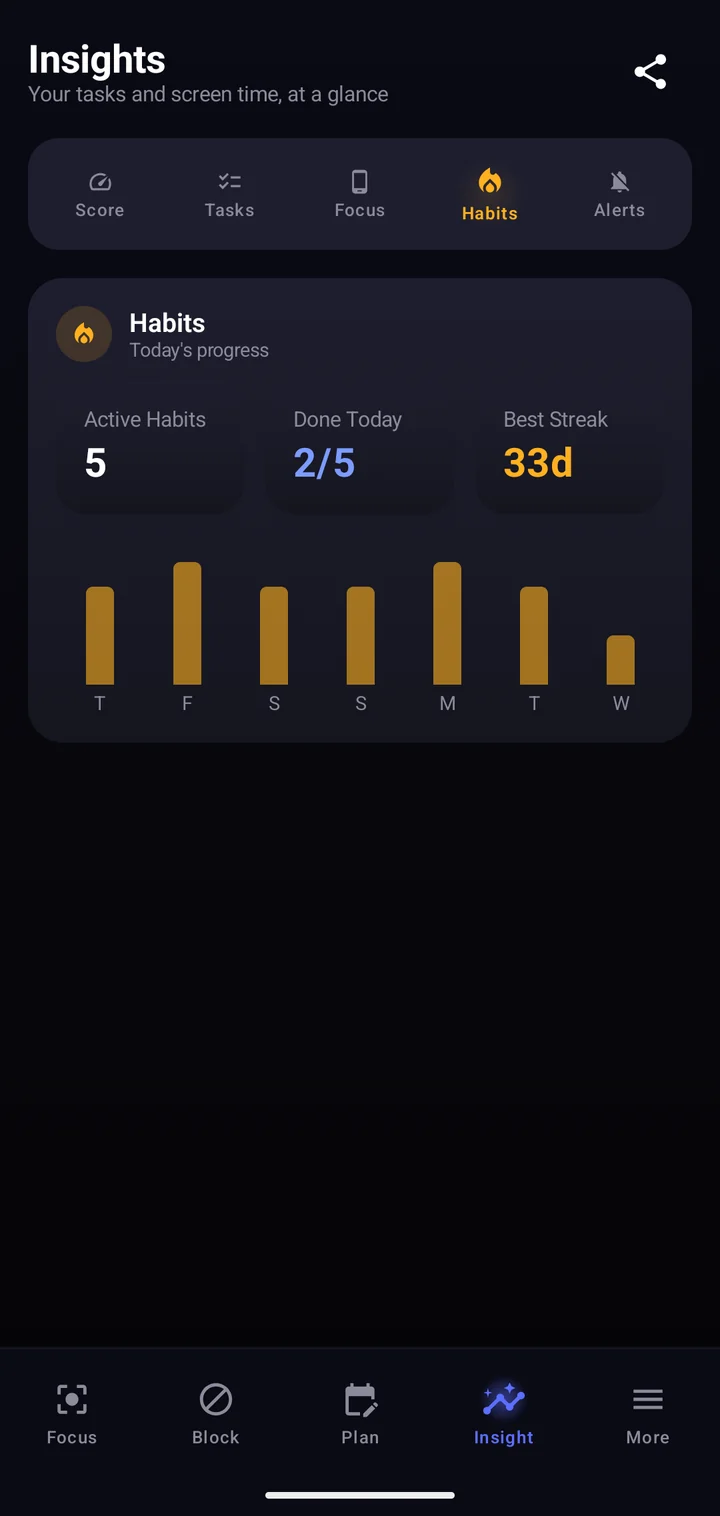
How many you finished today, your best streak, and a bar for every day of the week.
16
home-screen widgets
Habits, tasks, streaks, countdowns, screen time.
The first unlock of the day shows what's still due. When a blocked app opens, you get a quote picked for how your day is going.
Still due today
Read 20 pages
12-day streak
How is your day going?
“The beginning is the most important part of the work.”
“He that rises late must trot all day.”
“Our doubts are traitors, and make us lose the good we oft might win, by fearing to attempt.”
“Confine yourself to the present.”
“It is not enough to be busy; so are the ants. The question is: What are we busy about?”
“The readiness is all.”
“No great thing is created suddenly.”
“He that can have patience can have what he will.”
“Practice yourself, for heaven's sake in little things.”
“Nothing can bring you peace but yourself.”
“Adopt the pace of nature: her secret is patience.”
“Very little is needed to make a happy life.”
161 quotes across 10 moods, worked out from your tasks and habits.
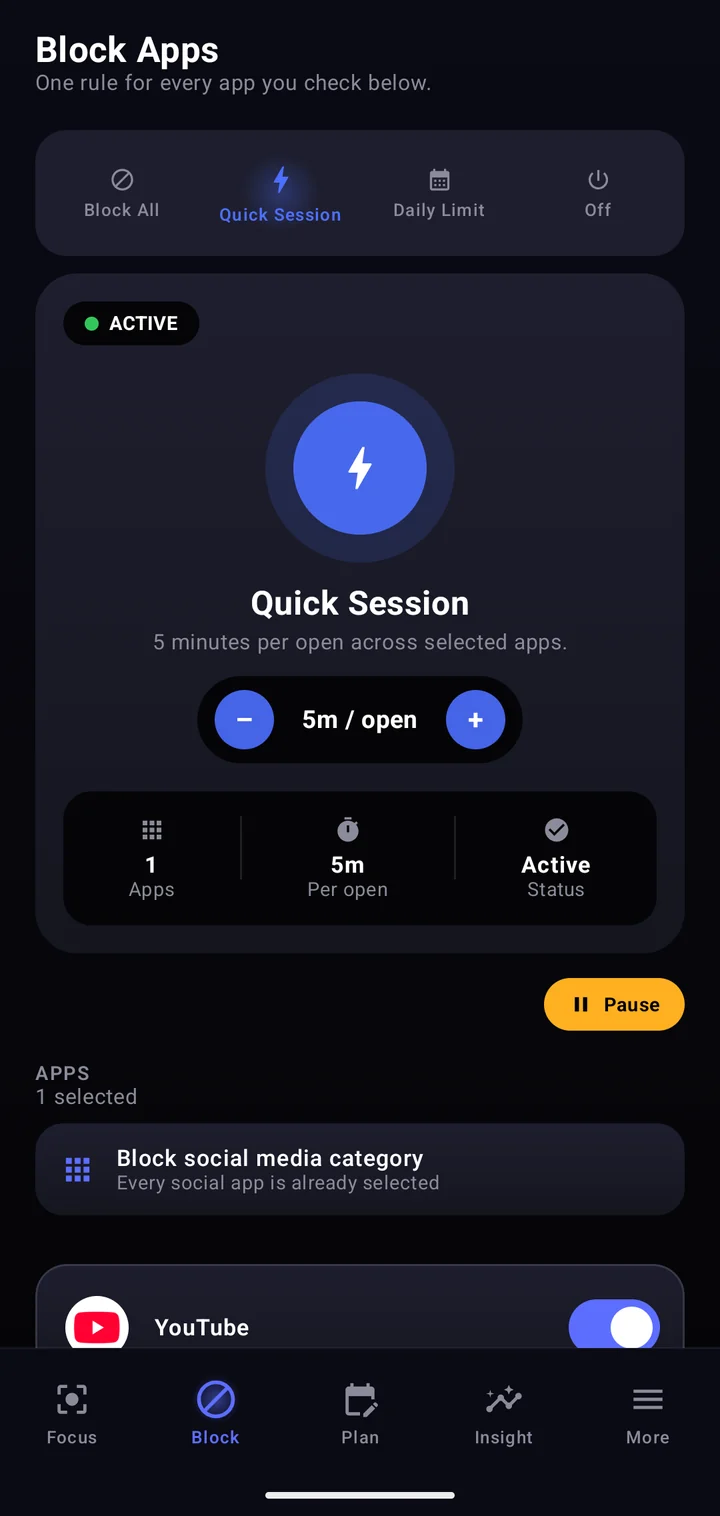
Choose the apps once. Then block them outright, cap the day, or allow short sessions with a break in between.
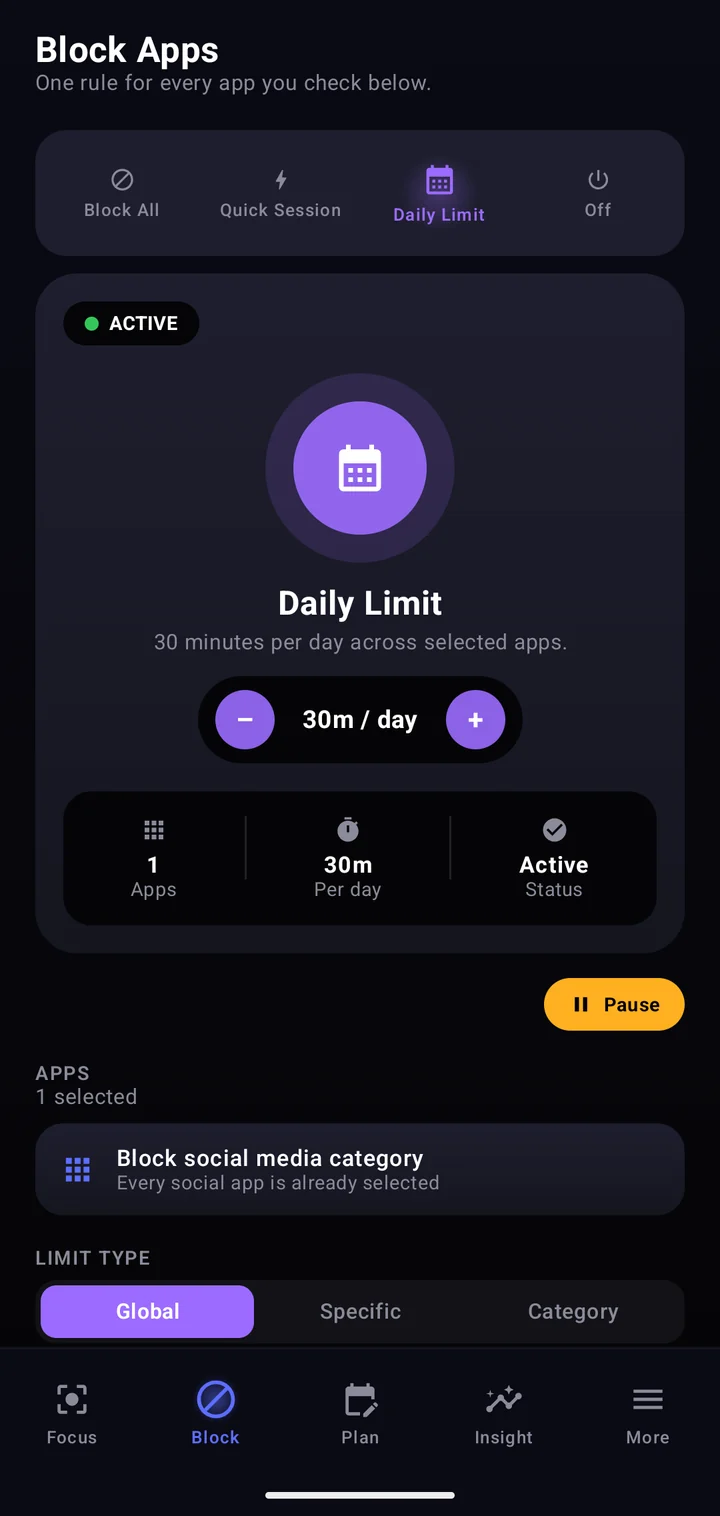
Selected apps share one daily allowance, for example 30 minutes. Once it's spent, they stay closed until tomorrow. Or block them completely with Block All.
Each time you open a selected app you get a short window, five minutes by default, followed by a break before it opens again.
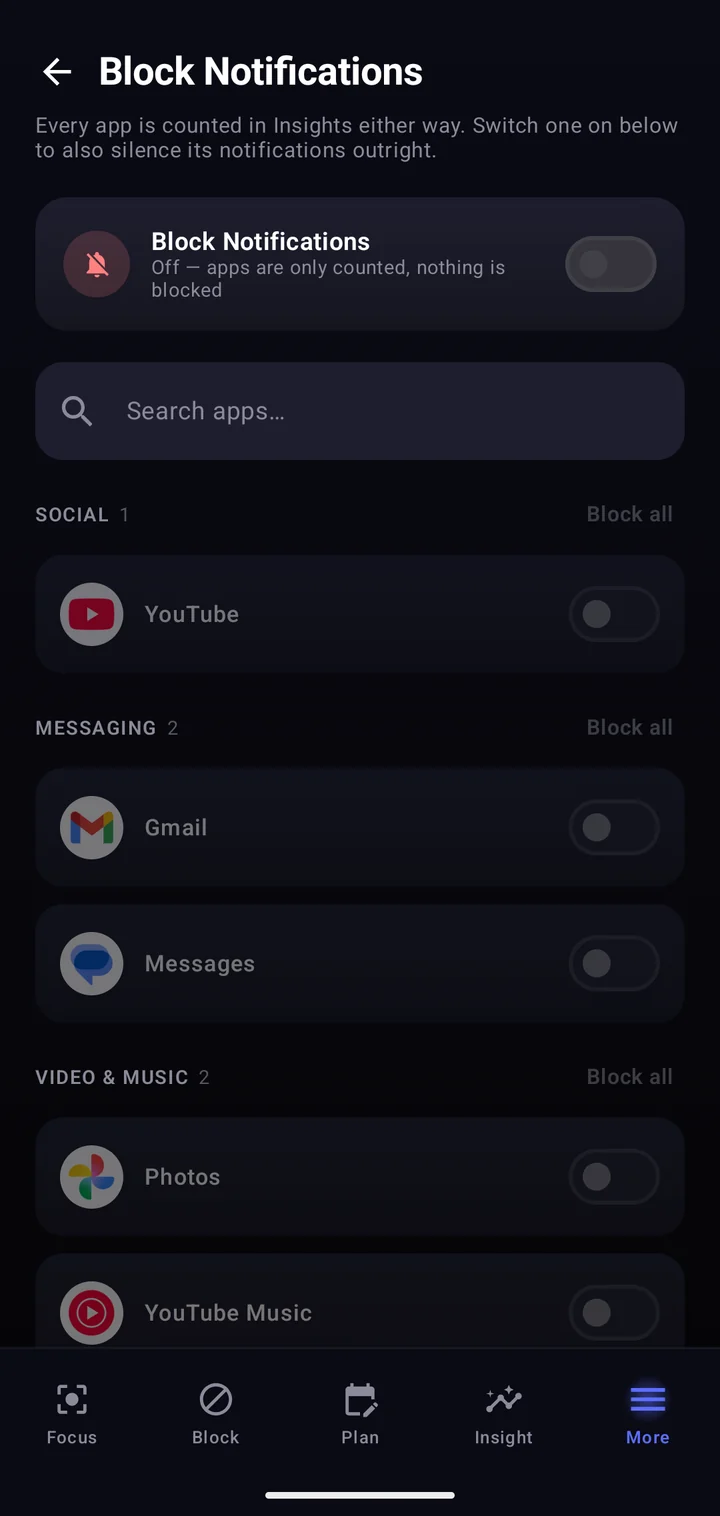
Silence notifications from the apps you pick. Every app is still counted in Insights, so you see what you would have missed.
Private by design. FokusTime only checks which app is on screen so it knows when to step in. It cannot read your messages, passwords or personal content.
Your own guess is enough. The app shows the real number in Insights.
Back in your week
14 hours
That's about 30 full days a year.
Already under that limit? Then it's a safety net for the busy days.
A daily Focus Score explains itself, with tasks, screen time and habits broken down underneath.
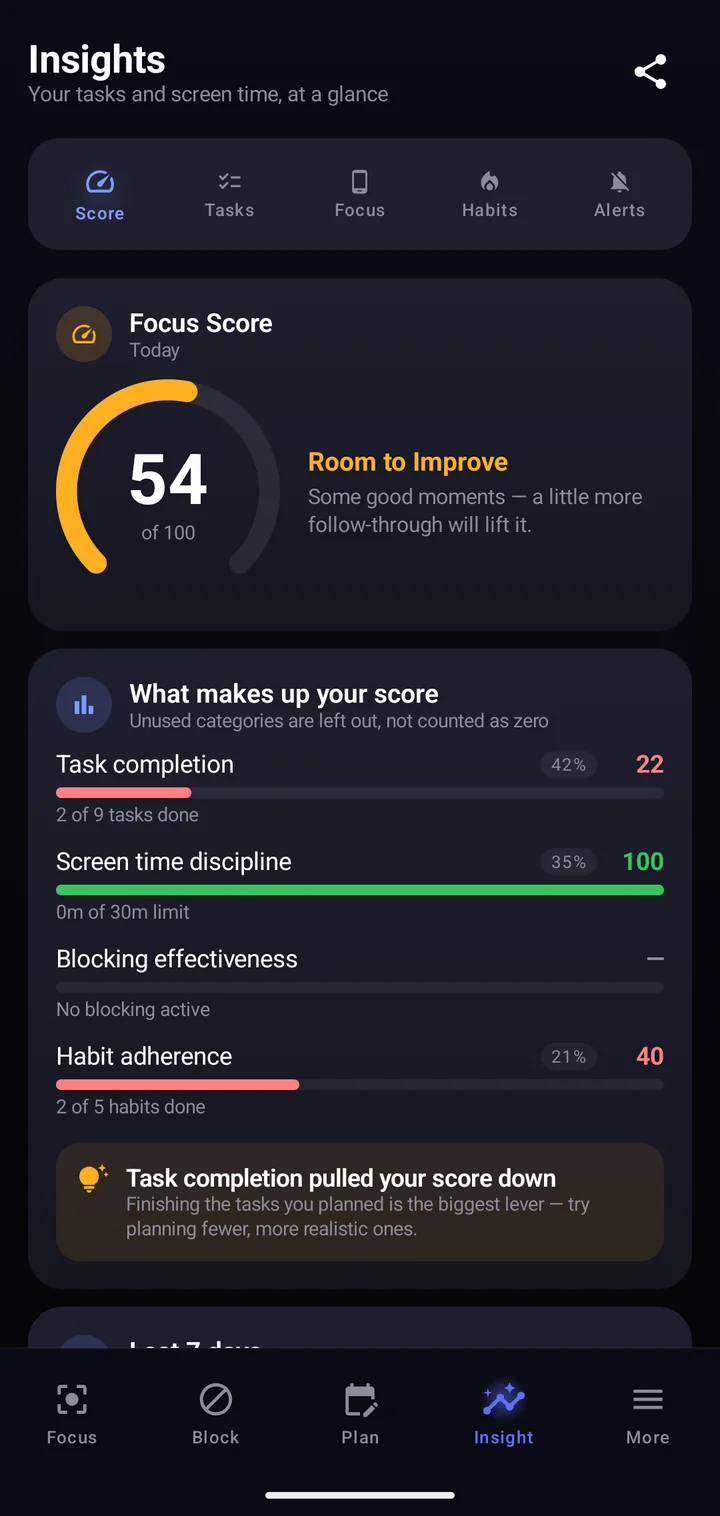
Focus Score
One number for the day, and why.
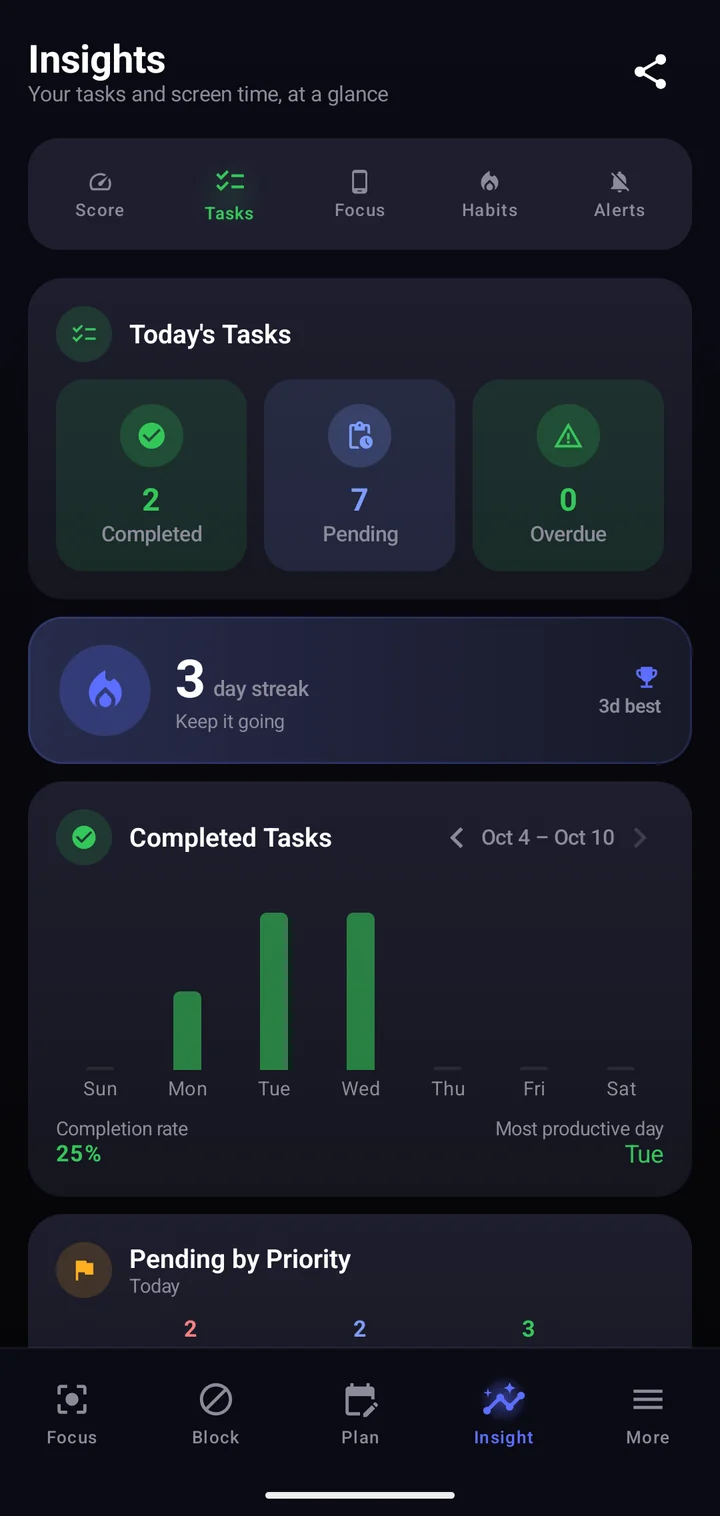
Tasks
Completion rate and your best day.
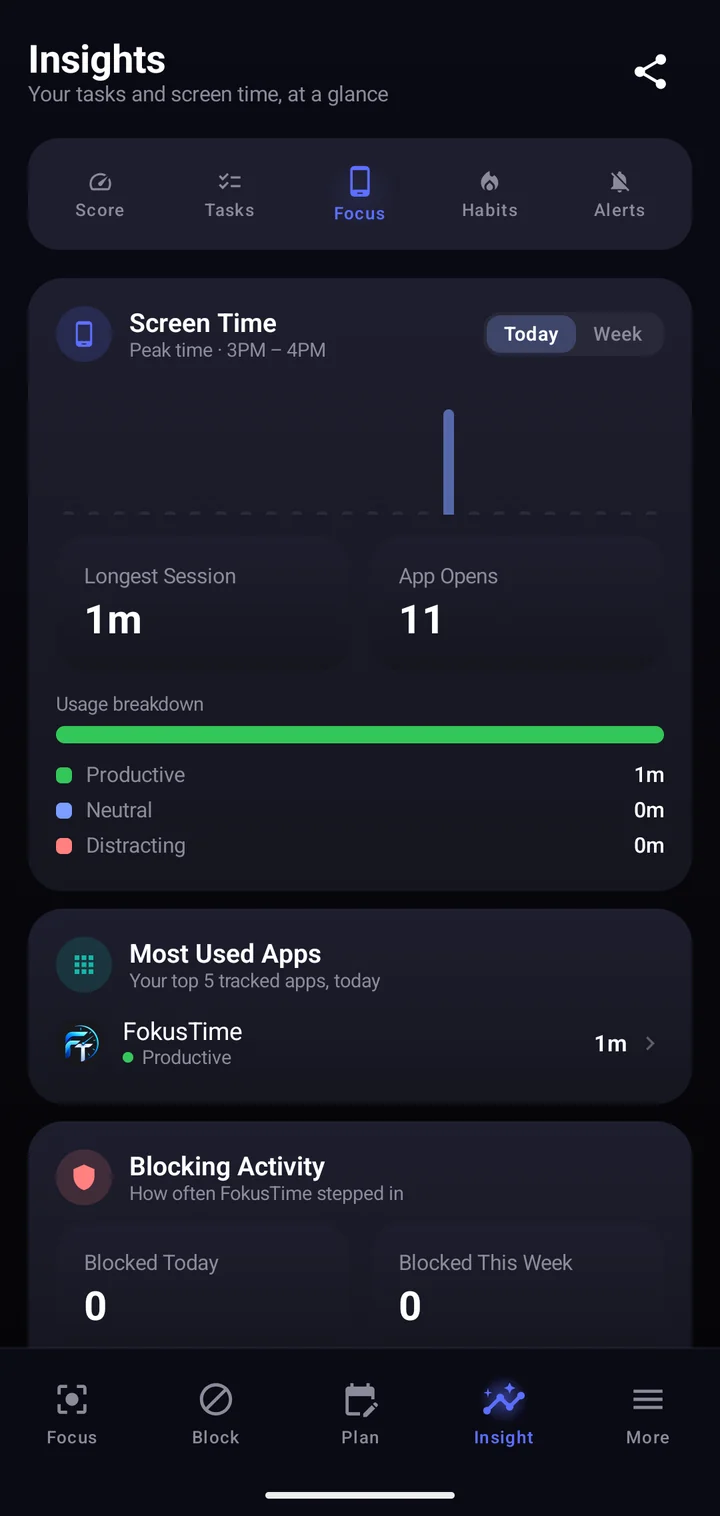
Screen time
Productive, neutral or distracting.
Habits
Streaks and consistency, week by week.
Birthdays, anniversaries, trips and countdowns, each with a days-left counter and a reminder on the day or the day before.
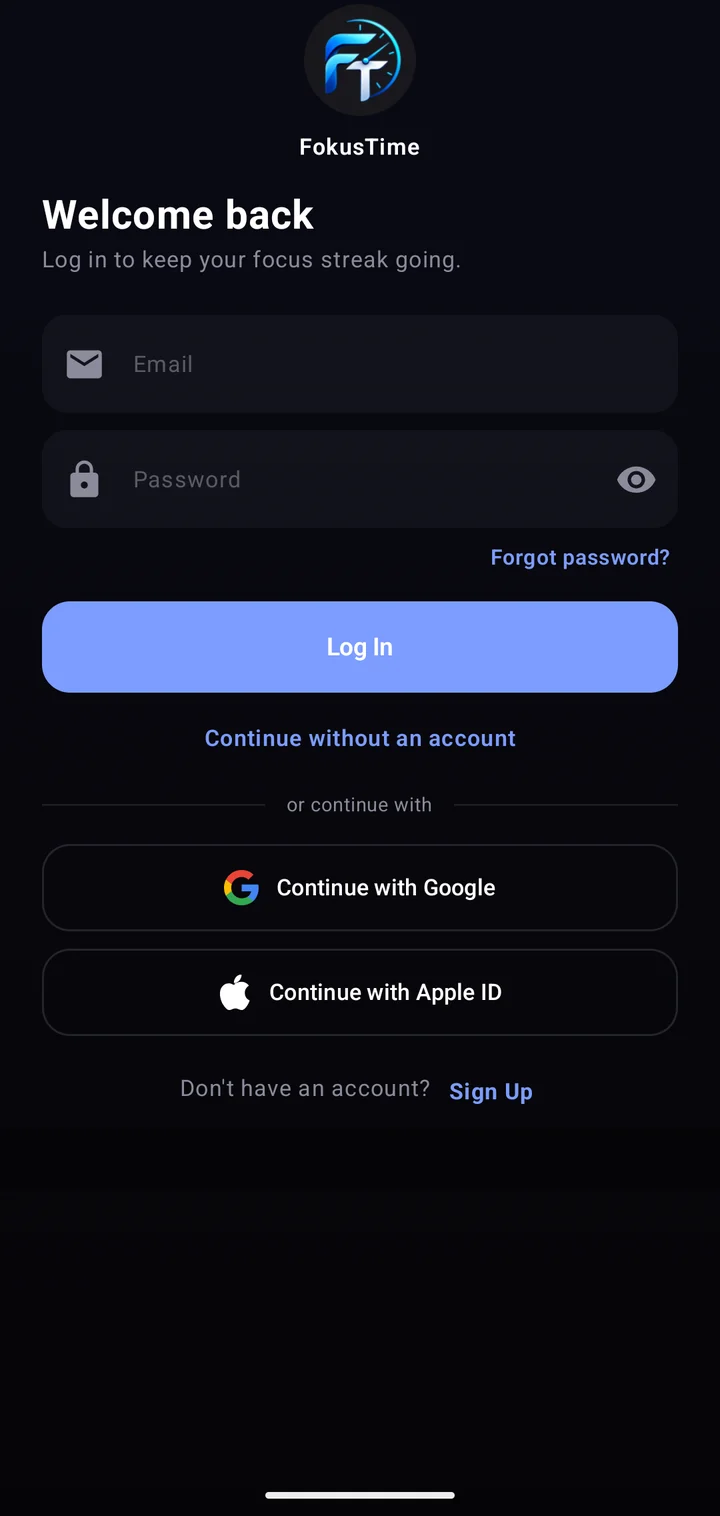
Use everything as a guest. Sign in when you want your tasks, habits and events on a new phone.
The highlights, area by area, with the plan each one needs. Pick an area to narrow it down.
A timeline that shows the free time between tasks.
A gentle reminder or a full alarm, per task.
Daily, weekly or custom, with an end date if you want one.
Break a big task into steps and tick them off.
Sort tasks by urgent and important.
Find any task by its title or notes.
Attach a photo to a task.
A habit only counts on the days you pick.
The first unlock of the day asks about habits still due.
A follow-up if a habit is still unticked.
Every day of a habit in one grid.
Start from ready-made habits.
Chosen apps share one allowance a day.
Short windows with a break in between.
Close every selected app at once.
The block screen shows a quote for how your day is going.
Block every social app in one go.
Silence the noisy apps.
Keep distracting sites closed too.
One number for the day, with the reasons underneath.
Productive, neutral and distracting time.
How often you reach for each app.
Every past day, not just the last two.
Tick tasks from the home screen.
Your streaks without opening the app.
A new task in one tap.
Days left until the next big date.
How much of today's limit is used.
Calendar, heatmap, Eisenhower, mode changer and more.
Everything is saved on the phone first.
Use it as a guest; sign in to sync and back up.
The login token stays in Android's encrypted storage.
Light, dark or a colour of your own.
Everything is saved on your phone first. The cloud is only a copy you can take with you.
Plan, tick and block on a plane or in a basement.
Changes made offline upload on their own, newest edit wins.
Login tokens live in Android's encrypted storage, never in plain text.
Screen time and notification counts are never uploaded.
Delete your account and every synced item, in one step.
Follow the system, or pick a theme colour that suits you.
Pricing
Every new install gets two months of Plus, with nothing to cancel afterwards.
₹0 forever
₹499 per year
Monthly plan coming soon.
₹999 per year
No. FokusTime works fully as a guest. Create an account only if you want your tasks, habits, events and settings backed up and available on another phone.
Yes. Everything is saved on your phone first. When you're signed in, changes sync in the background once you're back online.
Rarely. The app renews your login on its own, so you stay signed in as long as you open it at least once a month. Being offline never signs you out.
One phone is signed in at a time. Logging in on a new phone signs the old one out and tells it why, so your account can't stay open on a phone you no longer use.
From the fifth wrong try the app tells you how many attempts are left. After ten the account is locked to protect it, and support can unlock it for you.
To block apps it checks which app is currently open, and it reads usage time for your statistics. It never reads messages, passwords or notification content, and usage data never leaves the phone.
Every new install gets two months of Plus automatically. When it ends you drop to the Free plan, with no payment details asked and nothing to cancel.
Use the delete account page with your email and password. Your account and everything synced to it are removed straight away. Data on your phone stays until you uninstall.
Not yet. FokusTime is available for Android first.
Free to start, with two months of Plus on the house.
Coming soon to Google Play